

Free Wi-Fi. Free coffee refill. Free seat at your conversation.
This post is for awareness and protection only.
How it normally works
Your phone sends data in small packets. They travel through the café's router, out to the internet, and on to the site you're using: your bank, your email, your socials. Every step in that chain is a place someone could sit.
The attack: man-in-the-middle
An attacker secretly places themselves between you and what you're connecting to. Your traffic now passes through them. They can watch it, copy it or change it. You think you're talking straight to the website. You're not.
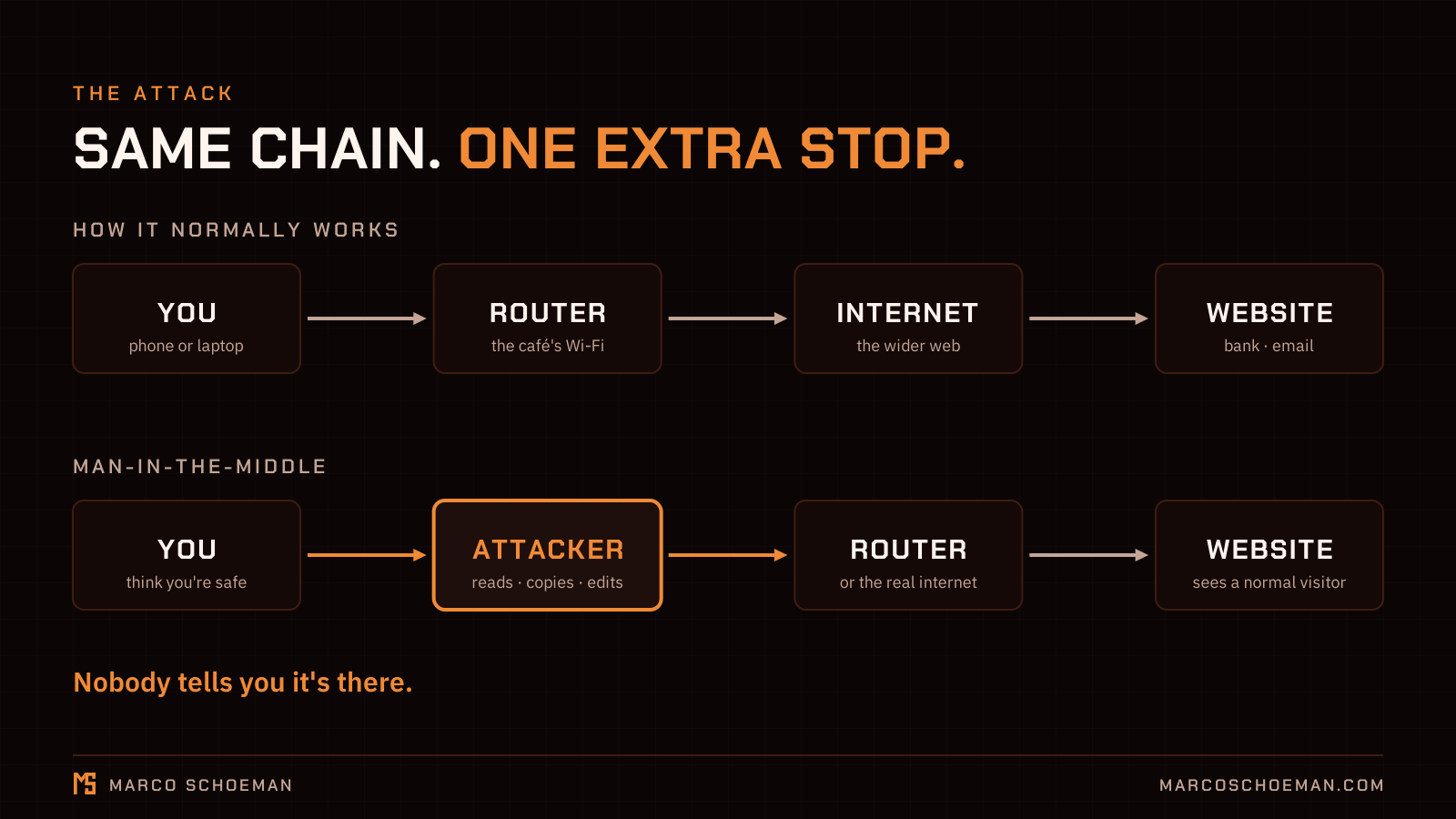
Think of a fake postman. You hand him a letter. He opens it, reads it, copies it, maybe changes a line, reseals it so it looks untouched, and delivers it. Neither side knows anything happened.
How they get in
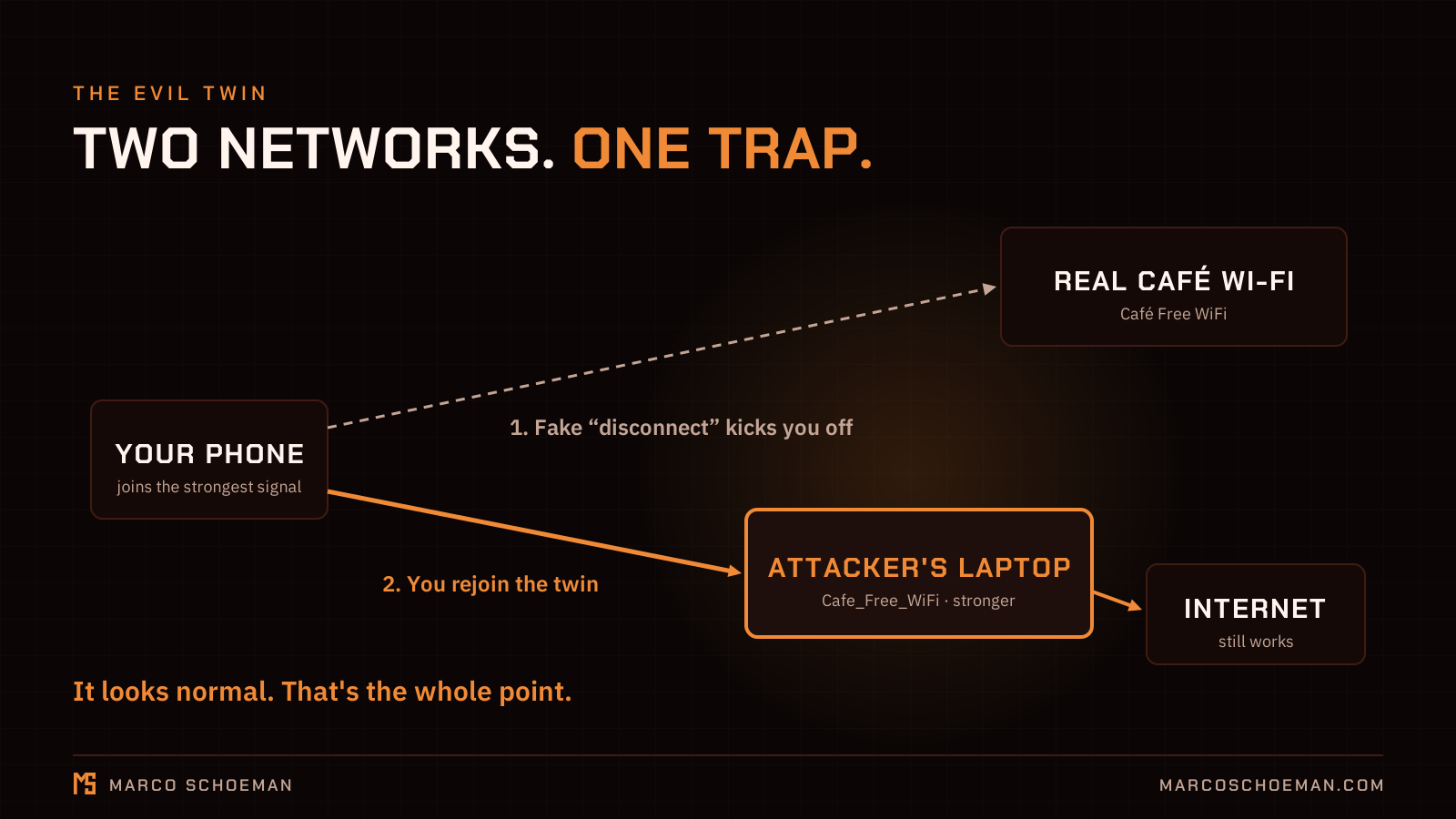
The evil twin is the most common method. The attacker sets up a hotspot named like the real one, "Cafe_Free_WiFi" next to "Café Free WiFi". Your phone picks the stronger signal, or the one it thinks it knows. Every request now flows through their device, and some even show a fake login page asking for your email or socials.
Step zero is often the deauth. Wi-Fi uses small control messages that say "you're disconnected", and on many networks they aren't verified, so they can be forged. Your phone drops off the real network, shows a blip, then reconnects automatically, often to the strongest familiar name: the evil twin.
Other routes include ARP spoofing (telling your device "I'm the router"), DNS spoofing (you type the right address and land on a fake copy), fake login portals, and the classic: your browser warns that the connection isn't secure, and you click "continue anyway".
What they can get
Logins typed into fake pages, session cookies from weakly secured sites, the list of sites you visit, swapped downloads, and personal details from unsafe forms.
The padlock (HTTPS) helps a lot. But it can't save you on a fake page, or after you've clicked past a warning.
Why restaurants?
Open networks with the password on the menu. A shared space where everyone sits on the same network as the attacker. Relaxed people who are eating and scrolling, not checking network names. And perfect cover: a laptop at a café looks normal. So does the person using it.
Your shield: a VPN
A VPN does three things:
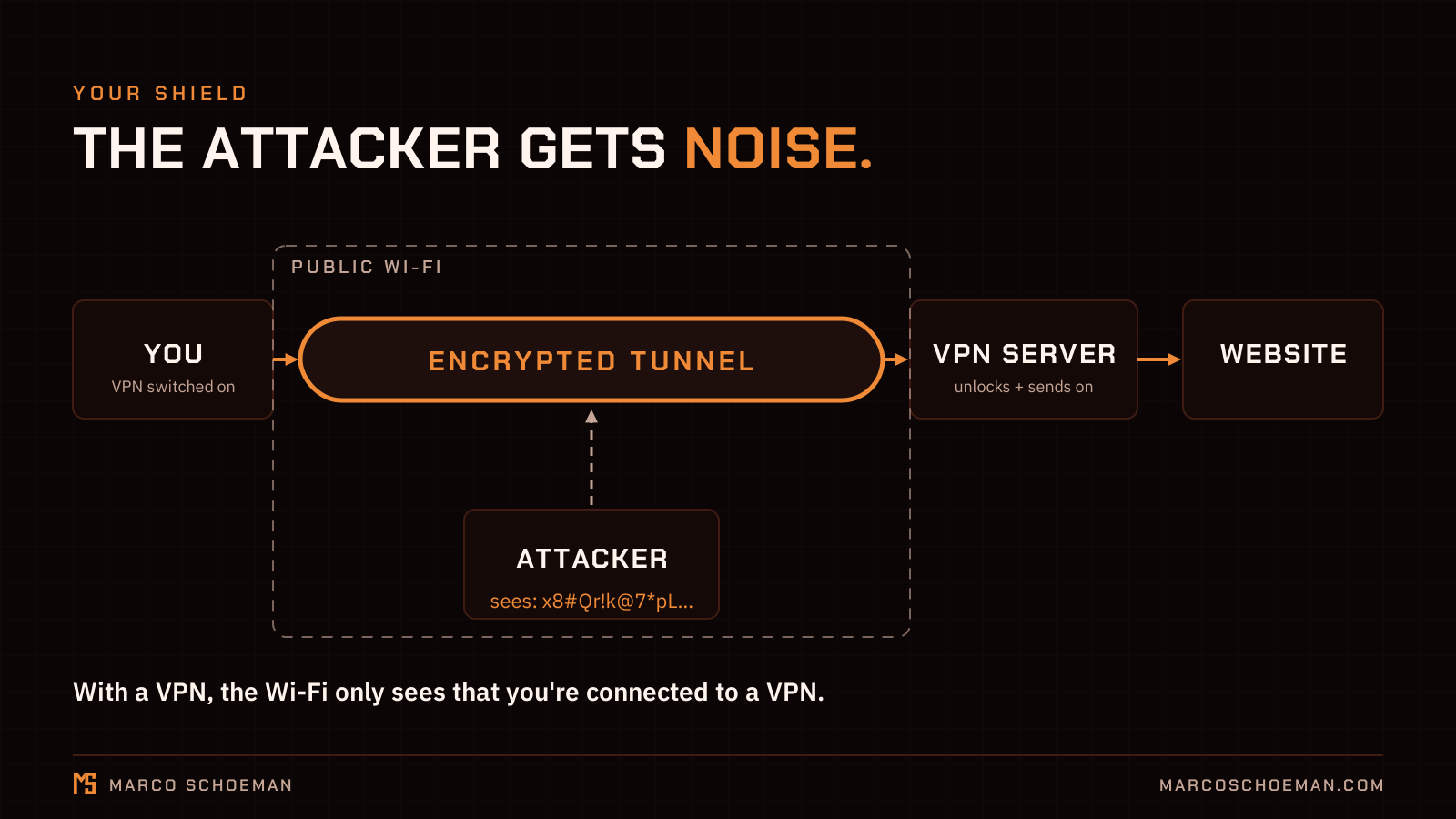
- Tunnel: it creates an encrypted tunnel from your device to a VPN server before any data touches the Wi-Fi.
- Scramble: anyone on the network, the attacker included, sees only scrambled data going to one place.
- Hide: your DNS lookups and the sites you visit are hidden from the local network.
With a VPN on, the person on the Wi-Fi sees only that you're connected to a VPN. They get noise.
What a VPN doesn't do
Be realistic. It won't stop you typing your password into a fake site. It won't fix reused or weak passwords. It doesn't make you invisible online. You're trusting the VPN provider with your traffic instead, so choose carefully. And free VPNs are often slow, leaky, or pay their bills with your data.
Set it up right: pick a reputable paid provider with an independently audited no-logs policy, install it on your phone and laptop, turn on auto-connect for untrusted Wi-Fi, turn on the kill switch, check the icon is on before you bank or log in, and keep the app updated.
Public Wi-Fi rules
- Ask staff for the exact network name. Don't guess.
- Turn off auto-join for open networks.
- Forget the network when you leave.
- A certificate warning means stop. Never click through.
- For banking, use mobile data or your own hotspot.
- Turn on two-factor login everywhere that matters.
Run a café? Protect your guests
Use WPA3 on your Wi-Fi so fake disconnects don't work, and switch on Protected Management Frames if your router offers them. Put the exact network name on the menu or a sign. Keep guest Wi-Fi separate from your till, cameras and office devices. Update the router firmware and change the default admin password.
Watch for the red flags
Two networks with almost the same name. Wi-Fi asking for your email, social login or ID number. "Your connection is not private" warnings, or a site that's suddenly http instead of https. Wi-Fi that drops and rejoins, maybe under a slightly different name.
If you think it happened
Disconnect immediately. From a trusted connection, change your email password first. Turn on two-factor login. Log out of all sessions on your important accounts. Check your bank and account activity. If money is involved, call your bank straight away.
Your 5-minute checklist
- Install a reputable VPN on your phone.
- Switch it to auto-connect on public Wi-Fi.
- Turn off auto-join for open networks.
- Turn on two-factor login for email and banking.
- Update your phone today.
Don't let strangers sit in the middle.
General information, not legal or financial advice.

